I am learning flutter from JustAcademy, They provide very much great environment where people gather and work simultaneously. totally project based training institute.
MOHD ABU BAKAR ANSARI
Flutter Developer
Awesome Experience. I am a Front-end Web Designer working at Star India for 3 years now. I applied for Full-stack development and my experience has been phenomenal & they really do help with placements exceptionally. Thank you Roshan sir so much.
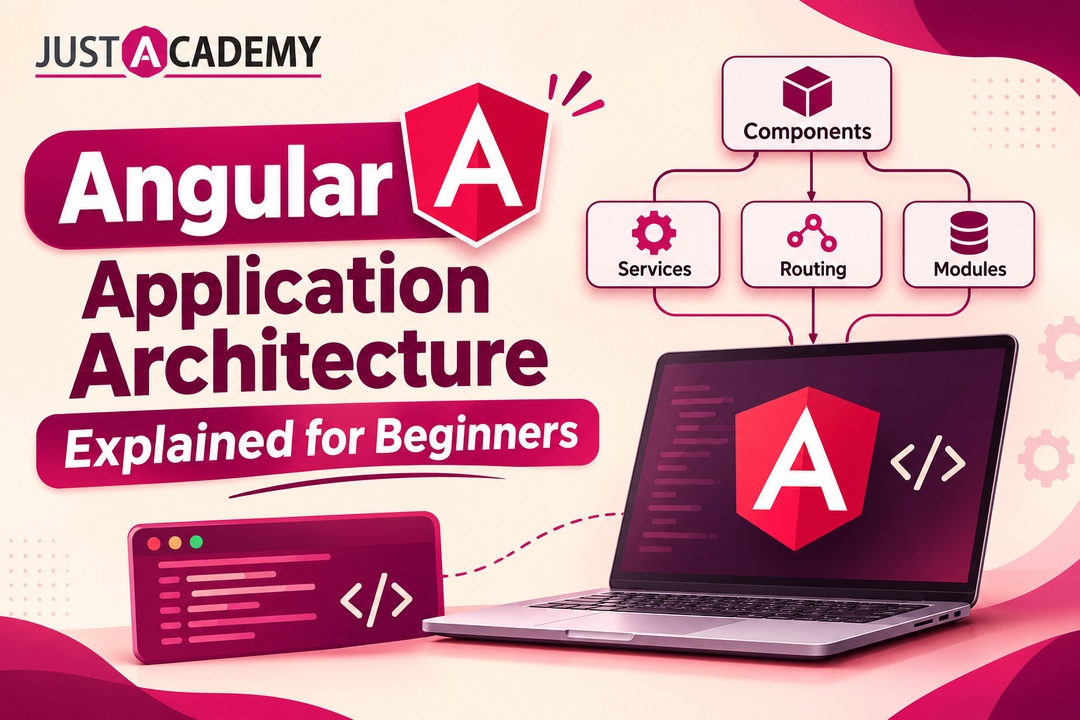
How components, services, standalone building blocks and the Angular CLI fit together, explained in plain words with live interactive and mentor led learning in mind
Ask a room of developers in Hyderabad what frustrates them most when they open an Angular project for the first time, and the answer is rarely the syntax. It is the angular application structure. Dozens of folders, files with strange double extensions, decorators sitting above classes, and a build tool that seems to know more about your project than you do. The code is not impossible. The map is simply missing. This guide hands you that map, so that the next time you open an angular project, you know why every file exists and where your own code should go.
If you would rather learn angular with a trainer who can pause, redraw a diagram and answer your doubt in the same minute, the Angular training course in Hyderabad from JustAcademy is designed around exactly that experience, and you can book a free demo session to see how an instructor led class actually feels before you decide anything. JustAcademy is an ISO certified training institute with its offline institute in Mumbai and Pune, and learners in Hyderabad join the same live interactive sessions online, with a mentor who tracks their progress week after week.
Before we begin, a quick word about how this article is written. It is not a dry documentation page and it is not a collection of random snippets. Think of it as a long conversation you might have with a senior developer over chai, someone who has shipped an angular application or two, made the usual mistakes and learned why the structure matters. We will move from the smallest building blocks to enterprise angular architecture, with an angular architecture diagram explained in words, a few comparison tables, and honest advice about what to practise first.
By the end, you should be able to explain the architecture of Angular to an interviewer, sketch it on paper, and create a new angular app with confidence. Let us start where every good structure starts, with the question of why structure matters at all.
Why Hyderabad Developers Keep Asking What an Angular Application Really Looks Like Inside
What Angular Architecture Actually Means
When people say angular architecture, they usually mean two things at once. The first is the technical design that the Angular framework gives you out of the box: components that control pieces of the screen, services that hold logic and data, a router that moves between views, and a dependency injection system that connects everything. The second is the way your team arranges its own files, features and responsibilities on top of that design. The framework supplies the first. You and your team are responsible for the second.
Angular is a TypeScript based platform maintained by Google, and unlike a small library, it comes with opinions. It tells you how to create components, how to share data, how to test, and how to build for production. This is why many Angular developers describe the experience as opinionated but predictable. Once you understand the pattern, every angular project you open feels familiar, whether it is a tiny practice app or a banking portal with hundreds of screens.
Many beginners confuse the older angular js with the modern Angular framework. AngularJS, the original version, used controllers and scopes and has been retired for years. Today when companies in Hyderabad say Angular, they mean the component driven platform with TypeScript, the Angular CLI and the latest releases. If a tutorial you are following still talks about scopes and controllers, close it and look for a recent one.
Why Structure Matters Before the First Line of Code
A messy structure rarely hurts on day one. It hurts in month four, when a new teammate cannot find the login logic, when two features quietly depend on each other, and when a small change in one corner breaks three others. A clear angular application structure is a gift you give to your future self and to everyone who will touch the code after you.
Good structure answers simple questions quickly. Where does this feature live? Which files can I safely change? What does this component depend on? Can I delete this folder without fear? Teams that answer these questions in seconds ship faster and argue less. Teams that cannot answer them spend half their sprint just navigating.
There is a second reason structure matters, and it is about learning. When you understand why files are arranged the way they are, the framework stops feeling like magic and starts feeling like a toolbox. That shift from memorising commands to understanding design is what separates a developer who copies tutorials from one who can lead a feature.
Where Angular Sits in the Hyderabad Job Market
Hyderabad has a huge concentration of product companies, service firms and global capability centres, and a large share of their front end hiring still involves Angular, especially for dashboards, internal tools, banking, insurance and healthcare products. The use of Angular in web development is strongest wherever teams value consistency, strong typing and long term maintainability, which is exactly what large organisations want.
This is also why interviewers rarely ask only about syntax. They ask you to explain how you would organise an angular website with multiple user roles, or how you would split an angular application development effort across five developers. Those are architecture questions, and they are the reason this guide exists.
The Building Blocks That Hold Every Angular App Together
Components in Angular and the Angular App Component HTML Story
Everything visible in an Angular screen is a component, or a tree of components. A component is a TypeScript class paired with an HTML template and optional styles. When you generate a new project with the Angular CLI, you get a root component usually called the app component. Open the angular app component html file and you will see the first template of your project, often just a heading and a router outlet in a clean setup.
Think of a component as a Lego brick with a clear job. A header component shows navigation. A product card component shows one product. A product list component arranges many cards. Because components in Angular are small and focused, you can reuse them, test them separately and replace them without rewriting the whole page.
A beginner friendly rule is this: if a piece of your screen has its own behaviour or appears more than once, it deserves to be a component. If your template starts growing beyond a screen or two of HTML, split it. Smaller components also make your angular ui components library easier to build later, because the pieces are already separated.
Modules, Services and Dependency Injection
Services are where your logic and shared data live. A component should mostly deal with what the user sees and does, while a service should deal with fetching data, calculating results and talking to the server. When you keep these responsibilities apart, your angular software becomes much easier to test and change.
Dependency injection is the mechanism that hands services to components. You do not create a service by hand inside a component. You declare that the component needs it, and Angular supplies a ready instance. This is one of the most important ideas in angular programming, and interviewers love asking about it because it reveals whether you understand design rather than just syntax.
Modules were the original way to group related components, services and routes. For years, every angular application started with a root module and added feature modules as the project grew. You will still meet modules in many existing codebases, so you need to understand them even if newer projects lean on a different approach.
Standalone Components Angular Teams Now Prefer
Recent versions of Angular introduced standalone components, and with Angular 18 and the releases around it, they have become the default way of building new work. A standalone component angular developers write declares its own imports directly, without needing a module to wrap it. The result is less boilerplate, simpler mental models and easier lazy loading.
Here is a quick comparison to help you picture the difference between the two styles.
Aspect
Module based approach
Standalone component approach
Where dependencies are declared
In the module
Inside the component itself
Amount of setup code
Higher
Lower
Learning curve for beginners
Steeper
Gentler
Lazy loading
Through feature modules
Directly on components and routes
Presence in older codebases
Very common
Growing quickly
Direction of the framework
Maintained
Recommended default
Learn the standalone component style first for any new angular project, then spend time understanding modules so you can read older code at work. Hyderabad teams often maintain both styles in the same company, and being comfortable with either is a real advantage.
Reading the Angular CLI Folder Structure Like a Map
What the Angular CLI Generates for You
The Angular CLI is the command line tool that creates, builds, tests and serves your project. When you run the command to create a new app, it generates a folder with configuration files at the top and a source folder underneath. Inside the source folder you will find the main entry file, global styles, an assets or public folder, and an app folder where your real code begins.
The configuration files matter more than beginners expect. One file controls how the project builds, another controls TypeScript rules, and another lists your dependencies and scripts. You do not need to memorise them, but you should know which file to open when something about the build or compiler needs to change. The official angular docs describe each one, and reading them slowly once is time well spent.
The app folder itself usually contains the root component files, a routing configuration and an application configuration file. In the standalone world, the application configuration replaces much of what the root module used to do. That is where you register providers, the router and the HTTP client.
How to Structure an Angular Application Folder by Folder
This is the question that brings most beginners to articles like this one, so let us answer how to structure an angular application in a way that survives growth. The simplest scalable idea is to organise by feature rather than by file type. Instead of one giant folder for all components and another for all services, create a folder for each feature, such as orders, profile or dashboard, and keep that feature’s components, services and routes together.
Beyond feature folders, most healthy projects include three shared areas. A core area holds things used once for the whole app, such as authentication services, interceptors and global layout pieces. A shared area holds reusable building blocks such as buttons, pipes, directives and small display components that many features use. A features area holds the actual screens. This three part habit is the backbone of a clean angular application structure, and it works for a small angular app and a large one.
If you are unsure where something belongs, ask whether more than one feature will need it. If yes, it likely belongs in shared. If it must exist exactly once for the entire app, it belongs in core. If it only serves one screen, keep it beside that screen. This single question settles most folder debates in code reviews.
Using the Angular Code Generator Without Losing Control
The Angular CLI includes what many people casually call an angular code generator. With a short command, it creates a component, service, pipe, directive or guard, complete with the right files and boilerplate. It saves time and prevents naming mistakes, but it is not a substitute for understanding.
A good habit is to generate each new piece using the CLI, then immediately open the files and read what was created. Notice the decorator on top of the class, the template reference, the selector name and the test file beside it. After a few weeks of doing this deliberately, you will recognise every generated file on sight. In a live class, a trainer can pause and ask you to predict what the generator will produce before you run it, which is a surprisingly effective way to make the structure stick.
Walking Through an Angular Architecture Diagram in Plain Words
The Layers You Would Draw on a Whiteboard
Picture a simple angular architecture diagram. At the top sits the browser, which loads your main entry file. That file bootstraps the root component, which holds a router outlet. The router decides which feature component to display based on the address. Each feature component uses child components for smaller pieces of the screen, and it calls services for data and logic. Services call the server through the HTTP client, and the server responds with data that flows back up to the template.
If you draw this on paper, you get roughly four layers. The presentation layer holds components and templates. The logic layer holds services and state. The data layer holds the HTTP calls and models. The routing layer ties screens to addresses and protects them with guards. When you can name these layers and say what belongs in each, you can answer most beginner level architecture questions in an interview.
Here is a quick reference you can keep beside you while reading code.
Layer
What lives here
Typical files
Presentation
Components, templates, styles
component.ts, component.html, component.css
Logic
Services, state, helpers
service.ts, store files
Data
HTTP calls, models, interceptors
api service, interfaces, interceptor
Routing
Routes, guards, resolvers
routes file, guard files
How Data Moves Through an Angular Application
Data in Angular generally flows downward from parent components to child components through inputs, and events flow upward through outputs. A parent might pass a product to a card component, and the card might emit an event when the user clicks add to cart. The parent then calls a service to update the cart. This one directional habit keeps the app predictable.
For data that many components need, services act as shared sources. A cart service, for instance, can hold the current cart and expose it for any component to read. Components subscribe or read from that source, and when it changes, the screen updates. This is the heart of angular framework tutorial lessons about reactive design.
When you see a bug where a screen shows stale data, the first question to ask is who owns the data. If two components each hold their own copy, they will drift apart. If one service owns it, they will stay in sync. Good architecture is mostly about deciding ownership clearly.
Where Templates, Directives and Pipes Fit In
An angular html tutorial often skips a subtle point. Templates are not plain HTML. They are HTML extended with bindings, control flow and directives. You bind a property, listen to an event, show or hide elements and loop through lists, all inside the template. Recent versions introduced a cleaner built in control flow syntax for conditions and loops, which many teams are adopting.
Pipes transform values for display, such as formatting dates or currency. Directives add behaviour to elements, such as highlighting on hover or restricting input. Together with components, they form the visible toolkit of the framework. A neat rule of thumb is that components own a piece of screen, directives decorate existing elements, and pipes format output.
Data, Services and State Without the Confusion
Talking to Servers with the HTTP Client and RxJS
Almost every real angular application talks to a backend. Angular ships with an HTTP client that returns observables, which are streams of values over time, powered by a library called RxJS. Beginners often find observables confusing, but the practical idea is simple. You ask for data, you subscribe or let the template handle it, and the data arrives when ready.
The cleanest pattern is to place all server calls inside services, never inside components. A component then asks the service for data and focuses on showing it. This keeps components light, makes testing easier and lets you change the backend later without rewriting screens. If your backend is built with Python, a Python API pairs nicely with an Angular front end, and learning both side by side through a Python training course in Hyderabad lets you build and understand the full path of a request instead of only half of it.
Interceptors deserve a mention here. They sit between your app and the network, and they can attach tokens, log errors or show loading indicators for every request without touching individual services. In an enterprise project, interceptors are one of the quiet heroes of a tidy architecture.
Signals and the Angular Latest Changes
Angular latest releases, including Angular 18 and onward, have been moving toward signals, a simpler way of tracking values that change and updating only what depends on them. Signals reduce the amount of manual subscription handling and make reactive code easier to read. For a beginner, they feel closer to ordinary variables than observables do.
You do not need to abandon observables. They remain essential for streams such as HTTP responses and user events. A practical approach is to use signals for local component state and simple shared state, and to use observables where streams genuinely make sense. Understanding both is what current Angular dev interviews increasingly expect.
Because the framework evolves quickly, always check the official angular documentation for the version you use. A tutorial from several years ago may teach patterns the team now considers outdated. Treat documentation as your source of truth and tutorials as guided walks through it.
Choosing a State Approach Without Overengineering
Beginners often hear about heavy state management libraries and assume they must install one immediately. In reality, a small angular project rarely needs anything beyond services and signals. Start simple. Hold state in a service, expose it read only, and let components update it through clear methods.
Reach for a dedicated state library only when you notice real pain, such as many features needing to react to the same complex data, difficult debugging of who changed what, or the need to replay events. Choosing tools because they are popular rather than because they solve a visible problem is one of the most common architecture mistakes. A mentor who has seen these decisions go wrong in production can save you weeks of detours.
Styling and UI Libraries: Angular Material Components and Beyond
Material UI Angular Developers Actually Use
Most teams do not design every button from scratch. Angular Material is the official component library that follows Google’s Material Design, and it is the first stop for material ui angular searches. It gives you ready made dialogs, tables, form fields, menus, tabs and more. When people look for material ui for angular, this is almost always what they mean, even though a separate library with a similar name exists in the React world.
Using angular material components saves enormous time, and more importantly, it teaches good habits. The components are accessible, tested and consistent. Learning how to theme them, override styles carefully and compose them into larger screens is a valuable skill in angular web development.
A quick tip: do not scatter Material imports randomly. In a standalone setup, import only what each component needs, and consider creating small wrapper components in your shared folder for things you use repeatedly, such as a standard confirmation dialog.
Building Your Own Angular UI Components Library
As projects grow, teams usually build their own set of angular ui components on top of Angular Material or alongside it. Buttons with company branding, form inputs with consistent validation messages, cards, tables with sorting and pagination. These components live in the shared area, and they make every feature look and behave the same.
You can see the benefit in a simple example. If every screen uses its own custom date picker, fixing a bug means hunting through twenty files. If every screen uses one shared date picker component, the fix is made once. This is the same reuse idea as before, applied to the interface.
Hands on practice is the fastest way to absorb this. Ideas for building such pieces into complete apps appear in the Angular projects ideas guide for beginners and experienced developers, which is worth reading once you are comfortable with the basics, because each idea there pushes a different part of the structure.
Styling Strategy: Global, Component and Design Tokens
Angular supports styles at component level, which are scoped to that component, and global styles, which apply everywhere. A healthy strategy uses global styles for typography, colours and resets, and component styles for layout and local details. Many teams also define design tokens, such as colour and spacing variables, so a rebrand does not require editing hundreds of files.
When you use an angular component material library together with your own styles, resist the temptation to fight the library with heavy overrides. Use its theming system. Fighting it creates fragile code that breaks on upgrades.
Enterprise Angular Architecture for Teams That Ship at Scale
What Changes When the Team and Codebase Grow
A beginner project has one developer and a handful of screens. An enterprise project has many developers, dozens of features, multiple environments and strict release schedules. Enterprise angular architecture is largely about managing this growth: keeping features independent, keeping builds fast and keeping changes safe.
The core ideas remain the same as the beginner structure, but they are applied more strictly. Features become isolated slices with clear boundaries. Shared code is carefully curated rather than dumped. Naming conventions are documented. Lint rules enforce structure automatically so that reviews focus on logic rather than style.
If you are aiming for a front end role in a larger organisation, the Angular developer skills guide for getting a front end job in 2026 shows what hiring teams expect beyond the basics, and understanding architecture is a recurring theme across those expectations.
Feature Slices, Lazy Loading and Clear Boundaries
The most useful enterprise habit is the feature slice. Each major business area, such as payments or reports, lives in its own folder with its own routes, components and services. These slices are loaded lazily, meaning the browser downloads them only when the user visits that area. This keeps the initial load fast, which affects user experience and search visibility for any angular site that needs to perform well.
Boundaries matter as much as slices. A feature should not reach into another feature’s internals. If two features need to share something, it moves to shared or core. This discipline is what keeps a large codebase from turning into a tangle, and it is the practical meaning of the best architecture angular project teams talk about in design discussions.
For very large organisations, some teams use a monorepo with multiple applications and shared libraries, which allows several angular app projects to reuse the same design system and utilities. You do not need this on day one, but knowing it exists helps you understand job descriptions.
Angular and Java Together in Real Companies
In many Hyderabad companies, Angular is paired with a Java backend. The pattern of angular and java working together is extremely common in banking, insurance and enterprise software. The Angular front end handles the interface, and Spring based services expose secure APIs. When someone says java angular developer, they usually mean a full stack person comfortable on both sides.
This pairing influences architecture. The front end typically mirrors backend resources through services and models, authentication is handled through tokens and interceptors, and role based access is enforced through guards. Developers who understand java and angular as one system, rather than two separate worlds, tend to debug faster and communicate better across teams.
Be careful with the phrase angular in java, which sometimes appears in search queries. Angular does not run inside Java. It runs in the browser and talks to Java services over HTTP. Understanding this boundary clearly is a sign of real architectural understanding.
Testing, Security and Performance as Architecture Concerns
Enterprise teams treat testing, security and performance as part of the architecture, not as afterthoughts. Components are written so they can be tested in isolation. Services are mockable. Sensitive routes are guarded. Bundles are monitored. Angular architects spend a large share of their time making sure these concerns are designed in from the beginning.
For a beginner, the lesson is to write small, focused components and services even in practice projects. That single habit makes every later concern easier. It is far easier to test a component that does one thing than one that does ten.
Angular Versus React and Where JavaScript Fits Underneath
React Angular Comparisons Without the Tribalism
Search for react angular and you will find endless arguments. The honest answer is that both are excellent, and the right choice depends on the team. React is a library focused on the view layer and leaves many decisions to you. Angular is a full framework with routing, forms, HTTP and testing built in, which gives teams a consistent shared approach.
Factor
Angular
React
Type
Full framework
View library with an ecosystem
Language
TypeScript by default
JavaScript or TypeScript
Structure
Opinionated
Flexible, team decides
Built in tools
Router, forms, HTTP, CLI
Chosen separately
Common in
Enterprise and large teams
Startups, product teams and enterprises
Learning curve
Steeper at first, then predictable
Gentler at first, then decisions pile up
Neither choice is wrong. If you are aiming at larger organisations in Hyderabad that prize consistency, Angular is a strong bet. If you are curious about both, learn the shared fundamentals first and the framework specifics second.
JavaScript and TypeScript as the Foundation
No matter which framework you choose, JavaScript sits underneath. Angular uses TypeScript, which is JavaScript with types added, so a solid grasp of variables, functions, objects, arrays, asynchronous code and modules makes everything easier. Many learners struggle with Angular not because the framework is hard, but because their JavaScript fundamentals are shaky.
If that sounds familiar, strengthen the base through a focused JavaScript training course in Hyderabad before or alongside Angular. Spending a few weeks on closures, promises and array methods will repay itself many times when you start reading RxJS code and component logic.
Choosing Your Path: Angular Only or Full Stack
Some developers specialise deeply in Angular, while others prefer to become full stack. Both are valid. A specialist front end developer in an enterprise team might spend years refining architecture, performance and accessibility. A full stack developer might combine Angular or React with Node, databases and deployment.
Decide by asking what kind of problems you enjoy. If you love interfaces, state and user experience, specialise. If you love the whole product from database to screen, go broader. Your first job does not lock you in, but a clear direction helps you choose projects and courses that build the right portfolio.
A Learning Path That Works When You Learn Angular With a Mentor
An Angular Tutorial for Beginners Step by Step
If you are looking for an angular tutorial for beginners step by step, here is a sequence that respects how people actually learn. Start with a clean JavaScript and TypeScript foundation. Install the CLI and generate your first project, then read the files. Build a single component and bind data to its template. Add a second component and pass data through inputs. Create a service and inject it. Add routing between two screens. Fetch data from a public API. Add a form with validation. Finally, refactor everything into feature folders.
Each step is small enough to finish in an evening, yet together they cover the full angular architecture. The mistake most learners make is skipping step one or rushing through the refactor at the end, when structure is the entire point.
Stay honest about your pace. Beginners who spend four weeks on fundamentals and then move quickly almost always beat those who rush the basics and stall later. A good angular tutorial gives you checkpoints, not just videos.
Projects That Prove You Understand Structure
Interviewers care less about the number of tutorials you watched and more about what you built and how you organised it. A well structured project proves understanding better than a long certificate list. Start with a task manager, move to an expense tracker, then a small e commerce front end with a cart service, and finally something with roles and guarded routes.
When you push your project to a public repository, include a short readme with a folder diagram and a paragraph explaining your structure. Recruiters notice this. It shows that you think like an angular architect, not just a copier of tutorials.
Interview Readiness: Explaining Architecture Out Loud
Knowing a concept and explaining it are different skills. Practise saying out loud how data flows from a service to a component, why you chose standalone components, and how you would split a large angular application into features. Record yourself or explain to a friend. If you stumble, you have found a gap.
Typical questions include the difference between modules and standalone components, how dependency injection works, how lazy loading improves performance, and how you would organise shared code. A mentor who conducts mock interviews can expose weaknesses far faster than self study, because they know which answers interviewers actually probe.
Why Structured Training Beats Random Tutorials for Angular
Live Interactive Sessions and Instructor Led Teaching
Self study works for some topics and fails quietly for others. Architecture is one that fails quietly. You can watch twenty videos and still not know how to structure your own project, because no video watches you struggle. Live interactive sessions solve this by putting a real instructor in front of you, asking questions, spotting misunderstandings and changing the explanation until it clicks.
An instructor led session also keeps you moving. There is a schedule, a syllabus and a pace that a group maintains together. Instead of drifting between tutorials, you follow a deliberate path from components to services to routing to enterprise patterns. JustAcademy runs this model across its live interactive training programmes, with the best course in Mumbai reputation built over years of classroom teaching and carried into online delivery for learners across India, including Hyderabad.
Mentor Led Sessions That Review Your Actual Code
The biggest difference between a course and a mentor led programme is code review. When a mentor opens your project, they see how you named things, where you placed logic and what you misunderstood. Feedback on real code is worth more than a hundred generic explanations, because it addresses your exact mistakes.
Mentor led sessions also help with decisions that tutorials cannot answer. Should this live in core or shared? Is this component too large? Should we use a signal or an observable here? Having someone to ask in the moment turns confusion into understanding within minutes.
Placement Support and Choosing Between Mumbai Classroom and Online Training
Skills become a career when someone hires you, which is why placement support matters. JustAcademy offers placement support, including resume guidance, interview preparation and connections with hiring partners, alongside its training. Learners can choose classroom training at the Mumbai institute or live interactive online training from anywhere, which is how Hyderabad learners typically join.
If your goal is to move beyond Angular into complete product development, the MERN stack developer bootcamp in Hyderabad with placement takes you through the front end, back end and database in a structured, project based programme. It is a good fit if you want to compare Angular and React in practice and graduate as a full stack developer with a portfolio ready for interviews.
As a trusted, ISO certified training institute in India, JustAcademy keeps batches interactive, projects realistic and support continuous. The aim is not to hand you a certificate, but to make you the developer who can open any angular project and explain it.
Conclusion
Angular looks intimidating only until you see the pattern. Components handle what users see, services handle logic and data, the router connects screens, dependency injection links everything together, and the CLI keeps the files consistent. Add standalone components, signals and thoughtful feature folders, and you have a clean angular application structure that scales from a weekend practice app to an enterprise platform.
Remember the practical takeaways. Organise by feature. Keep components small and services focused. Use core, shared and features areas. Lean on Angular Material for common interface needs. Strengthen your JavaScript and TypeScript base. Build projects that show structure, and learn how to explain your decisions out loud. Those habits matter far more than memorising any single command.
If you want a guided, instructor led and mentor led path, with live interactive sessions, placement support and the flexibility of Mumbai classroom or online learning for Hyderabad, take the next step today.
How components, services, standalone building blocks and the Angular CLI fit together, explained in plain words with live interactive and mentor led learning in mind
A practical guide for Hyderabad developers to react hooks, custom hooks and the design patterns that keep real projects clean, taught through live interactive, instructor led and mentor led learning
A practical, honest guide to choosing your first language, understanding modern iOS development, and building a career in Hyderabad’s growing app ecosystem through live interactive, instructor led and mentor led training.
A Hyderabad friendly walkthrough of how real apps get planned, designed, built, tested and shipped, and how live interactive, instructor led and mentor led learning gets you there faster
A grounded, honest guide for Hyderabad learners, career switchers and business owners who want to build real apps with Flutter and learn from mentors, not just videos.
Forty questions, honest answers and the design skills hiring panels in Delhi quietly score, shaped around live interactive, instructor led and mentor led learning
From your very first Laravel build to client ready applications, a Delhi learner’s guide to growing real backend skills through live interactive, instructor led and mentor led practice.
A Delhi focused, mentor backed guide with 40 answered questions, live instructor led practice and a clear path from learner to hired meanstack developer
Drop us a Query
+91 99871 84296
Available 24x7 for your queries
Want To Connect with us
🚀 Kickstart Your IT Career
with JustAcademy
Learn Industry-Focused Courses with Live Projects & Placement Assistance
Full Stack Java(Java, Spring Boot, Hibernate, REST API, React JS)
Data Analytics(Excel, SQL, Power BI, Python, Tableau)